General - Add a check template to check syles. How to add a custom check style to the program. Maintain check styles.
A custom check template has been created and it needs to be placed into the check styles list in VersaCheck so that it can be selected from accounts.
1. Copy your check template (ctf) to a location on the hard drive that you can find/navigate to.
2. Open VersaCheck. Click on My Accounts. Click once on the account name. Click on the Edit Checkbook button.
Image 1

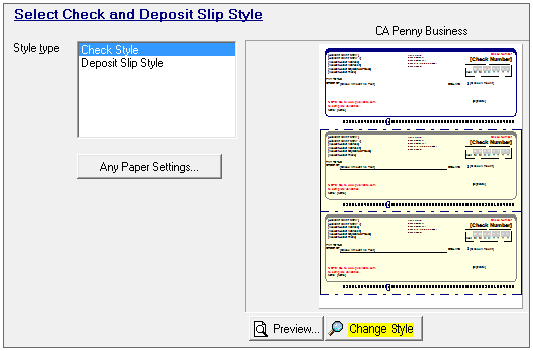
3. Once the Edit Checkbook window appears click on the Next button until you reach the "Select Check and Deposit Slip Style".
Image 2

4. Select "Check Style" in Style Type. Click on the Change Style button.
Image 3
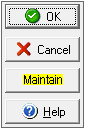
5. Click on the Maintain button.
Image 4
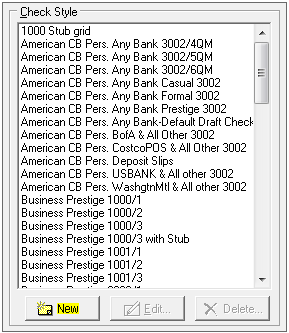
6. Click on the New button user the Check Style list.
Image 5
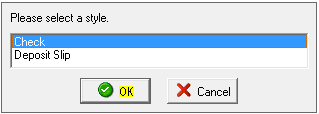
7. Select Check as the style. Click on the OK button.
Image 6
8. Type in a name for this template in the Style Name field. Click on the Browse button.
Image 7
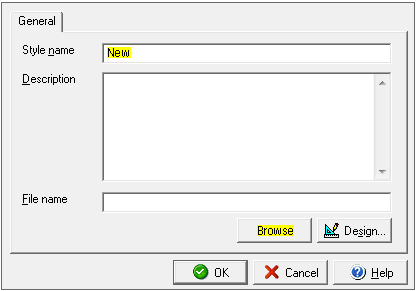
9. Navigate to the location that you saved the check template. Double click on the file (ctf).
Image 8

10. The location will show in the File Name field. Click on the OK button.
Image 9

11. Your template will list in the Check Style list by the name you assigned it. Click on the Cancel button.
Image 10

12. Click on the OK button.
Image 11

12. On the "Select Check and Deposit Slip Style" window click on the Next button.
Image 12

13. On the "Select Your Graphics and Signature" window click on the Finish button to save the changes.
Image 13

This concludes the process of adding a new/custom check style. If you need instructions on how to select a different check style, click on the link below:
http://www.versacheck.com/web/support/article.aspx?id=763