iVersaCheck Sign Up
The iVersaCheck Sign Up dialog box allows you to create a new iVersaCheck account
(http://www.iVersaCheck.com).
From the Online menu select iVersaCheck and then iVersaCheck
Sign Up. 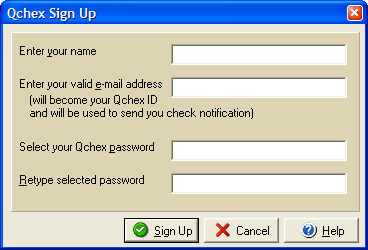
Enter the name you wish to use for your iVersaCheck account in the Enter your name field (this does not need to be the name that will appear on your checks.) Enter a valid email address that will become your iVersaCheck ID (this cannot be an email address that has already been used to open any other iVersaCheck accounts.) Enter a password in the Select password field and repeat it again in the Retype Password field and then click Sign Up.
If you already have a iVersaCheck account that you wish to sign in to you can use the iVersaCheck Sign In dialog.