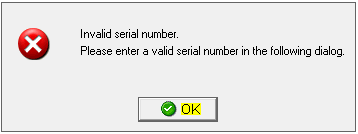
Invalid Serial Number. Invalid serial number. please enter a valide serial number in the following dialog.
When you open the VersaCheck program you receive and error message "Invalid Serial Number".
This is caused by a corrupted registry file or that file get deleted.
The instructions below are for Windows Vista and Windows 7.
1. Click the OK button on the error message.
Image 1
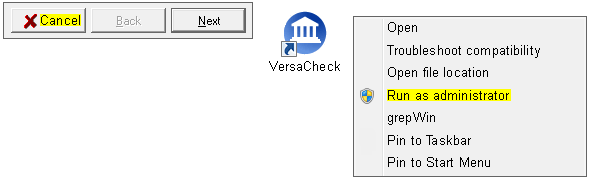
2. Select Cancel on the registration window. Return to your desktop. Right click on the VersaCheck icon. Select Run As Administrator. Select to allow if prompted by Windows.
Image 2
3. Click the OK button on the error message.
Image 1
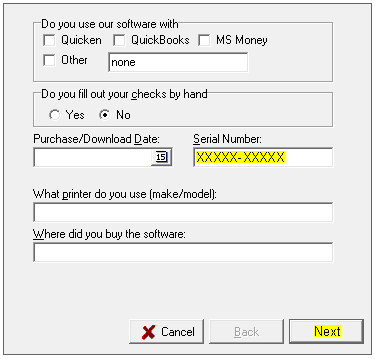
4. Fill out the first software registration form and select Next.
Image 3

5. On the second registration screen you will see a blank field below the Serial Number heading. Click in that field, turn on Caps Lock and enter your serial number. Select Next.
Image 4
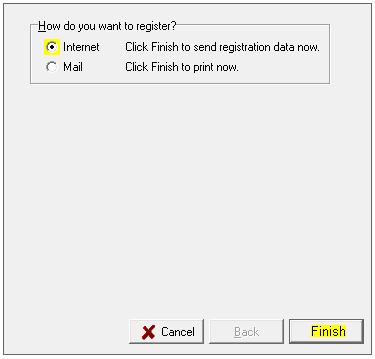
6. Select the Internet option. Click on the Finish button.
Image 5
7. Ensure your internet is working and click on Yes. You will get a message stating that the registration has not been processed if you have registered the software before. This will not affect the registry file as it will have been written.
Image 6

8. Return to the desktop and open VersaCheck normally, the error will not appear.