Print Online Received Checks
Step 2 of 3
The Print Online Received Checks wizard will print checks you have received from iVersaCheck (http://www.iVersaCheck.com).
From the main print menu select the Check Drafts/iVersaCheck tab and click
the link for Print Online Received Checks.
Step 2 of 3
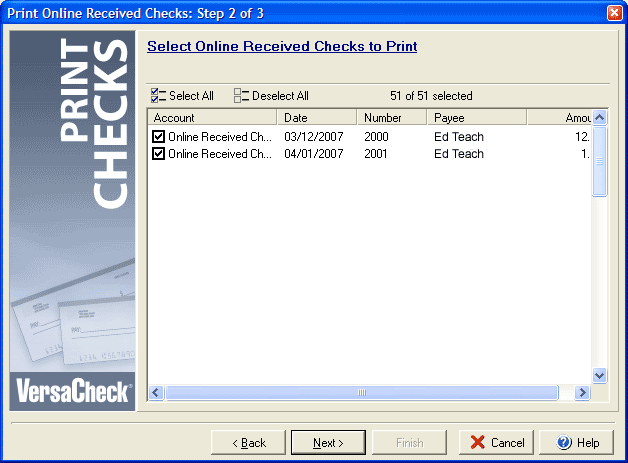
If you have checks to print they will display in the main window of the dialog box for Step 2.
By checking the box next to any listed check you can print only the checks you select. By clicking
the Select All or Deselect All buttons you can add or remove all of the checks from
the list of checks to be printed. Click Next to continue on to Step 3.