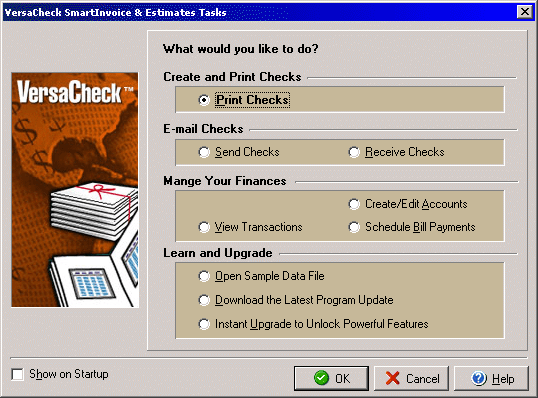
VersaCheck Tasks
The VersaCheck SI&E Tasks window opens when the program is launched or by
clicking on the Tasks option under the View menu, and allows you quick and easy
access to some of the programs main functions.
By selecting any of the first four options the VersaCheck program will open
the appropriate dialog box or screen to either print or receive checks. The
Order Check Supplies option will open a browser and connect directly to online
check supplies. The Sample Data File option allows you to see an example of
a VersaCheck data file. The Upgrade feature allows you to upgrade your VersaCheck
software for increased options and more advanced features.
You may click the Show on Startup check box to enable or disable the VersaCheck
Tasks dialog box from appearing when you start the VersaCheck program.