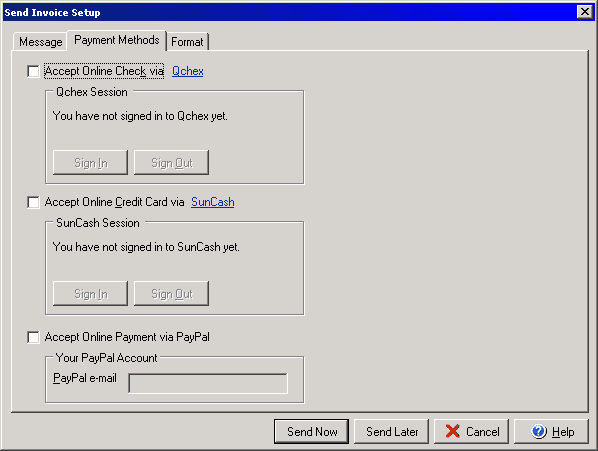
Send Invoice
(Payment Methods tab)
The Send Invoice wizard allows you to send the invoices that you create directly
to your customers. From the Invoice dialog box select
the Send Invoice button.
The Payment Methods tab allows you to select one or more options to include for customers to make payments to you by check (via Qchex at www.Qchex.com), credit card (via SunCash at www.SunCash.com) or by Pay Pal. Check the box next to the option(s) you wish to include. For Qchex and SunCash you will need to click the Sign In button and sign in if you haven't already, for Pay Pal you simply need to include the email address included with the account. You can edit the Message portion of the email under the Message tab or you can edit the formatting of the email and how the invoice is included with the message under the Format tab.