Send Invoice
(Message Tab)
The Send Invoice wizard allows you to send the invoices that you create directly
to your customers. From the Invoice dialog box select
the Send Invoice button.
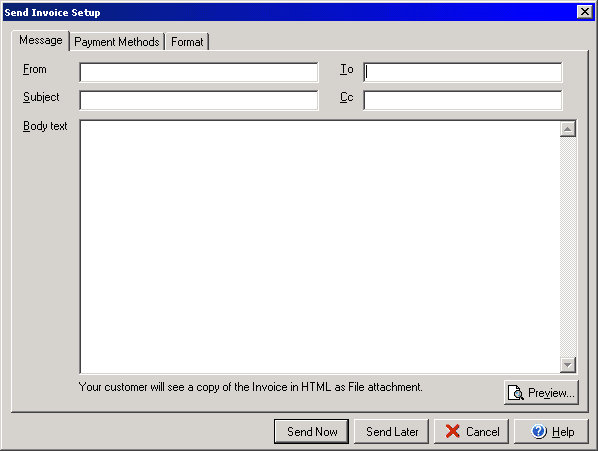
The Message tab section of the Send Invoice Setup allows you to create an email message that you can send with the invoice. Enter the Recipients email address in the To field and enter your email address in the From field. You may enter additional recipients in the CC field (to enter more than one email address, separate names with a comma.) The Preview button will allow you to view a preview of the invoice to be sent. The Payment Methods tab will allow you to add information to the email about payment preferences and the Format tab will let you select the type of email as well as how to include the invoice.