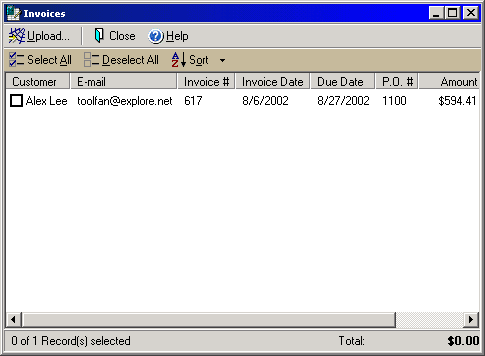
Invoices
The Invoices dialog box allows you to print, send or upload any invoices you
create. From the File menu select Upload Invoices or select Print > Print
Invoices or Send > Send Invoices.
The main window will show any unpaid invoices with the customer name, invoice and due dates, PO number, invoice total and balance currently due. By checking the box next to the customer name you may print, send or upload (depending on how you open the dialog) one or more of the invoices listed. By clicking either the Select All or Deselect All icons you may automatically check or uncheck all the invoices shown. Click the Sort icon to rearrange the list in order by any of the header columns in either ascending or descending order.