Quick Access to Program Features
The VersaCheck Tasks window opens when the program is launched or by clicking on the Tasks option under the View menu, and allows you quick and easy access to some of the programs main functions.
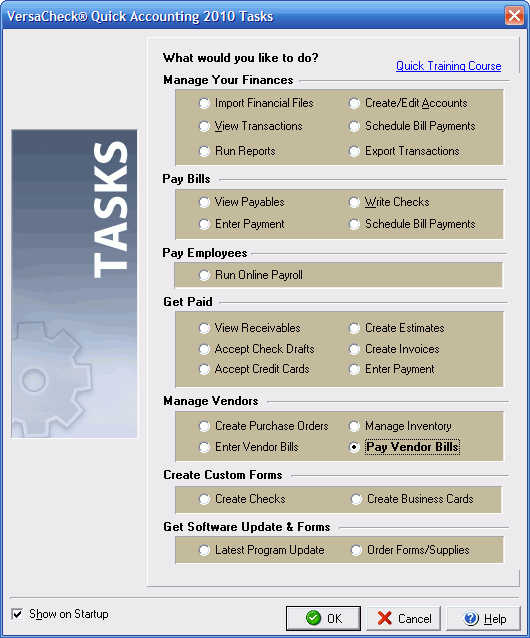
By selecting any of the first four options the VersaCheck program
will open the appropriate dialog box or screen to either write,
print, send or receive checks. The Manage Your Finances section
allows you to import financial data, create and edit accounts
and schedule bill payments. The Sample Data File option allows
you to see an example of a VersaCheck data file. The Download
Latest Program Update option will connect to the VersaCheck online
server to check for and download any new program patches or updates,
while the Upgrade feature allows you to upgrade your VersaCheck
software for increased options and more advanced features.
You may click the Show on Startup check box to enable or disable
the VersaCheck Tasks dialog box from appearing when you start
the VersaCheck program.
The Tasks window is meant as a convenience to make many central
features available in one place. All of the items/features in
the Tasks window may be reached by using the program and navigation
menus in VersaCheck.