Print Test Check Options
The Print Test Check Options dialog will allow you to set up how your check preview will print in the Check Designer. From the main Check Designer screen select the Print Preview option.
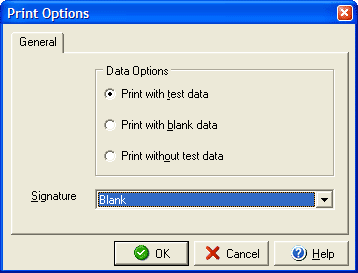
Under Data Options select how you would like your preview test print to print the test check:
- Print with test data: prints using sample data from the software
- Print with blank data: prints sample of blank check to be filled later
- Print without test data: prints blank check with only basic check elements