Reports
General Tab
General Tab
You can generate both text based and graphic reports for things such as cash flow, transactions, itemized categories, net worth, balance sheet, income statement, and account balances in VersaCheck by using the Reports feature found under the Reports menu item. By using the Accounts tab you can select which account or accounts to include in the report. By using the Categories tab you may determine which categories are used in generating the report.
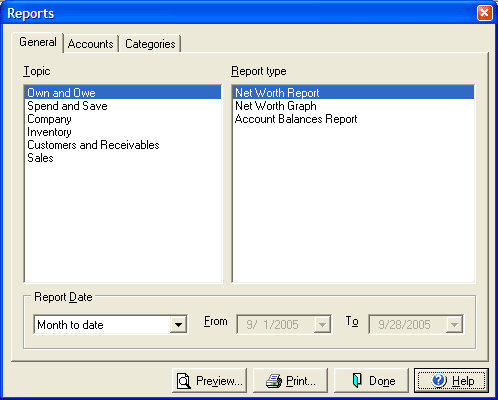
- Choose Spend and Save, Own and Owe, or Business for the report topic.
- Choose one of the 9 report types from the Report type menu.
- Choose the time frame for the report to cover using the drop down menu or select Custom and enter dates in the From and To fields.
- Select Preview to display the report on screen prior to printing or click Print to print the report directly.