Options
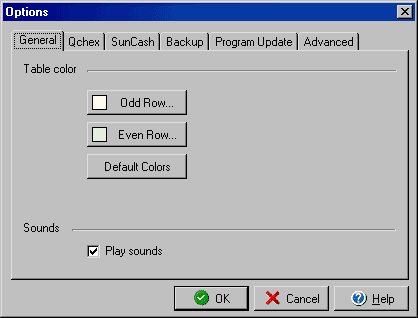
(General Tab)
The Options feature, found under the Tools menu, allows you to customize certain
elements of the VersaCheck program.
The General Options dialog box allows you to choose the colors for both the
odd and even rows of all lists that are displayed in VersaCheck. Using light
colors that don't interfere with reading the text but with sufficient contrast
make it easier to read lists with multiple columns stretched out across a wide
screen. Clicking the Default Colors tab will reset the row colors to their original
settings.
By unchecking the Play Sounds option, you can turn off the default program sounds.