Print Check Draft Wizard
Step 4 of 7
To print check drafts click the Print Checks button at the top of the main VersaCheck window
and then select Print Check Drafts under the Check Drafts/Qchex tab.
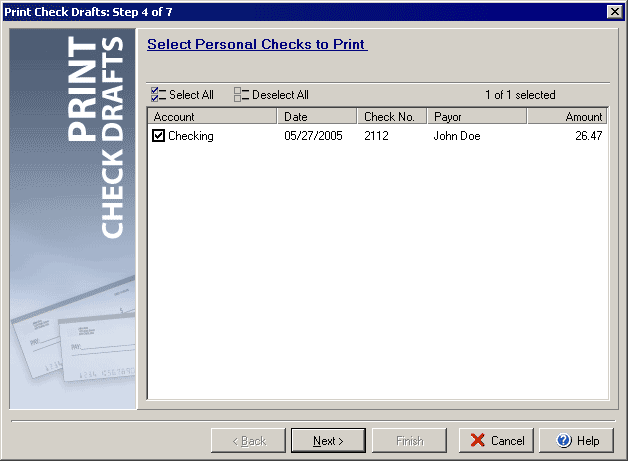
The fourth step will display a list of all pending personal check drafts you have created. By checking the check box to the left of each check draft you can control which drafts will be printed. To check all the items click the Select All button, to clear all the check boxes use the Deselect All button.
Click Setup to open the Print Draft Settings dialog Next to continue on to Step 5.
|
||||||
| Silver Express | Silver | Gold | Platinum | Corporate | ||
 |
|
|
 |
|
||