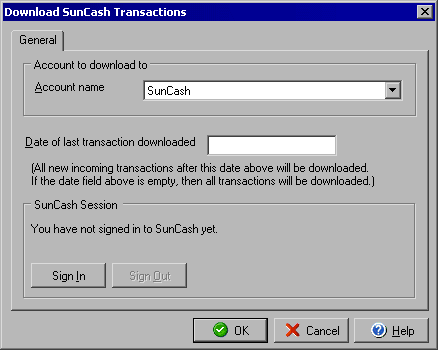
Download SunCash Transactions
www.suncash.com
The Download SunCash Transactions dialog allows you to select an account to download any outstanding
transactions from your SunCash merchant account (http://www.suncash.com).
From the Online menu select Download Credit Card Transactions.
In the Account name pull down menu select the account to which you want to download the transactions. In the Date of last transaction downloaded field you will see the last date that you downloaded transactions and only newer transactions will be downloaded. You may clear the Date of last transaction downloaded field and all transactions will be downloaded. If you are not already signed in to SunCash then click the Sign In button. If you wish to disconnect from SunCash click the Sign Out button (you will need to sign back in before you are able to download transactions.)
|
||||||
| Silver Express | American Checkbooks |
Silver | Gold | Platinum | ||
 |
|
|
 |
|
||