Print Check Draft Wizard
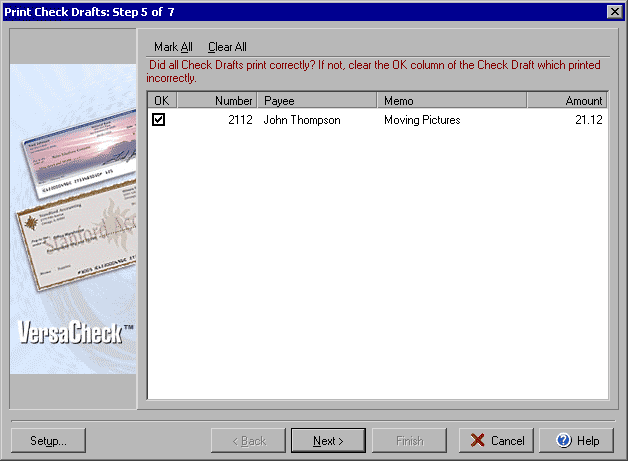
Step 5 of 7
To print check drafts click the Print Checks button at the top of the main VersaCheck window
and then select Print Check Drafts under the Check Drafts/Qchex tab.
The fifth step of the Print Check Draft Wizard will allow you to select which personal check drafts, if any, did not print correctly so that they may be reprinted. Uncheck the OK box for any check that did not print correctly. You may uncheck all of the boxes by clicking the Clear All button or check all boxes with the Mark All button.
Click Setup to open the Print Draft Settings dialog Next to continue on to Step 6.
|
||||||
| Silver Express | American Checkbooks |
Silver | Gold | Platinum | ||
 |
|
|
 |
|
||